Die Cutting Machines Guide for Beginners, From Manual Rollers to Electronic Cutters
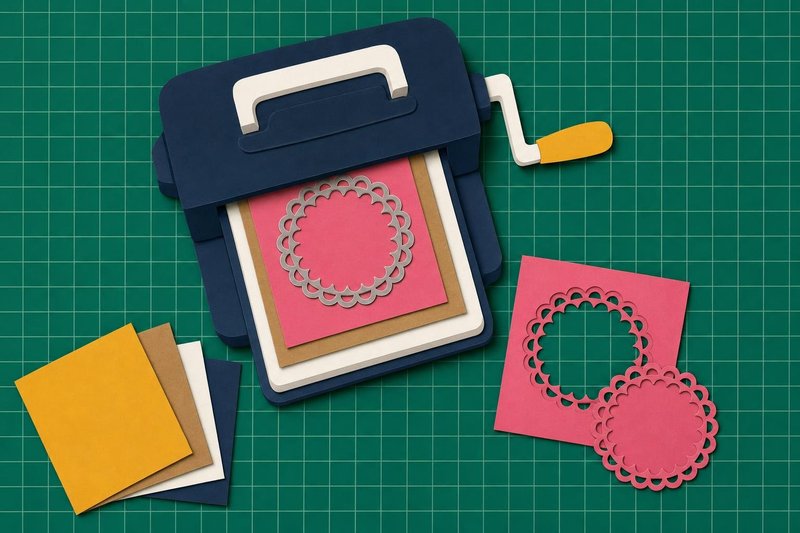
On the table
- Manual roller die cutting machine with an opening of 6 inches or wider
- Two cutting plates sized for the machine
- Set of nested rectangle or circle dies
- One embossing folder sized for A2 panels
- Cardstock, 65–80 lb for die cuts, 80–110 lb for card bases
- Low-tack tape
- Poke tool or die pick
- Wax paper, a few sheets
Any die cutting machine guide has to start with pressure, because every die cut does. A shaped metal edge is pushed into paper hard enough to sever the fibers along a line, and everything sold around it, from acrylic plates to sticky mats, exists to control how much force arrives and where. Once that sinks in, the craft-store wall of die cutting machines sorts itself into two families that share one problem.
Manual or electronic: the first decision in a die cutting machine guide
A manual roller machine works like an old clothes wringer. You build a flat stack of plates with a die and a sheet of cardstock inside, turn a crank, and two steel rollers squeeze the stack as it passes through. There is no power cord and no software; the shape comes from whichever die you own. A few electric models run the same kind of stack through motorized rollers, and the method stays identical.
An electronic cutter carries a tiny blade in a moving carriage and drags it along the lines of a digital file while the paper sits on a sticky mat. Cricut, Silhouette and Brother ScanNCut are the names most crafters use for the whole category. Any shape you can draw or download becomes a cut, at any size the mat allows.
| Manual roller machine | Electronic cutter | |
|---|---|---|
| What sets the shape | A metal die | A digital cut file |
| Power | Hand crank (a few motorized) | Mains power plus a computer or app |
| Material width | About 6 in on compact models, wider formats exist | 12 in on a standard mat |
| Strong at | Repeated shapes, stamp-and-die sets, embossing folders | Lettering, big titles, custom sizes, print then cut |
| What you learn first | The plate stack | Software and material settings |
The two longer guides go through each family in turn: manual roller machines, opening widths and the two kinds of dies, and electronic cutters with their mats, blades and file types. Many card makers end up owning one of each. The manual machine handles the coordinated dies that match a stamp set, the electronic one handles a 10-inch title that no die would ever be made for.
Die cutting machines for beginners: what to buy first
The usual advice on die cutting machines for beginners is to start with a manual roller machine and a small set of nested dies, and it holds up. A 6-inch opening takes an A2 card panel (4.25 x 5.5 inches) with room to spare. Nested rectangles, nested circles and one stitched frame cover mats, windows, tags and labels for months, because each set gives several sizes from one purchase.
Skip the giant bundle. Starter packs often include dies chosen to fill a box, and the shapes you actually reach for will be clearer after twenty cards than before the first one.
One embossing folder is worth adding early, since it uses the same machine and turns a plain panel into a background with no ink at all. An electronic cutter makes sense as the first machine only if lettering, large shapes or cutting your own drawings is the main reason for wanting one; the learning curve is steeper, and a new user spends the first evenings in software instead of at the table.
A short list of habits matters more than the brand of the machine:
- tape thin dies to the paper with low-tack tape so they cannot slide during the pass;
- check a corner of the cut before lifting the top plate, so a second pass can still line up;
- flip the cutting plates after every pass.
Any set of tips on die cutting machines for beginners that leaves those three out has skipped the part that saves the most cardstock.
Plates, shims and the stack in between
A manual machine expects the stack to reach one total thickness. Too thin and the die only presses a line into the paper; too thick and the crank stalls or a plate cracks. The order of platform, plates, die and paper differs between machines, and the chart that came with yours outranks any general rule. The guide to cutting plate sandwiches gives the common stacks, explains why plates curve after a few weeks, and shows how to add pressure with shims one sheet at a time.
Plates warp. That is normal and nobody did anything wrong.
Paper is the other half of the stack. Both kinds of die cutting machines cut best through smooth, dense cardstock, and both struggle with cheap stock whose loose fibers leave fuzzy edges and little uncut bridges at sharp corners. Glitter cardstock and mirror card carry a hard surface layer that usually needs a second pass on a manual machine and a stronger setting on an electronic one. If a cut fails on one paper and succeeds on another with nothing else changed, the paper was the problem, and no amount of shimming will fix it.
Texture without a blade
An embossing folder is a hinged plastic sleeve with a pattern molded into both halves. Close a sheet of cardstock inside, run it through the same machine, and the paper comes out with the pattern raised on one side and sunk into the other. Deep 3D folders press several levels at once and are the reason many people first meet cracked cardstock. Embossing folders covers dry embossing, how a light spritz of water keeps heavy paper from splitting, and how to ink the folder itself for a two-tone pattern.
When the cut fails
Sooner or later a die will press a perfect outline into the paper and cut none of it, or cut three sides of a rectangle and leave the fourth attached. The second half of any die cutting machine guide is troubleshooting, and the troubleshooting is mostly reading the paper. Where the cut failed says a great deal about why. The guide to die cutting problems works through incomplete cuts, intricate dies that refuse to let go of their pieces, the wax paper trick, poke tools, and storage that keeps thin dies flat and dry.
Where die cuts end up
Most die cuts land on a card front: a stitched rectangle as a mat, a circle as a frame for a stamped image, a word cut from glitter cardstock as the greeting. The card making section covers the layouts those pieces go into. On a 12 x 12 inch page, die cuts work as titles, borders and photo corners, and the scrapbooking section shows how they fit into a full layout without crowding the photographs.
A practical die cutting machine guide would end the same way any craft table does, with the offcuts. Keep the frames left behind when a shape pops out of a panel. A rectangle cut from the middle of a patterned sheet leaves a window, and that window, backed with acetate, is half of a shaker card already.
Questions crafters ask
Can a manual die cutting machine cut chipboard?
Yes, with steel-rule dies, which are built to cut chipboard, felt and several layers of paper at once. Thin etched dies are made for paper and cardstock and either fail on chipboard or bend trying.
Do dies from one brand work in another brand's machine?
Most thin etched dies cut in any roller machine whose opening is wide enough for them. The stack heights differ between machines, so a die bought for one may need an extra shim or a different platform setting in another.
Which cardstock weight cuts most reliably?
For thin dies, 65 to 80 lb smooth cardstock cuts cleanly even through fine detail. Heavier 100 to 110 lb stock cuts with simple shapes but often needs a second pass on lace or script dies.
How long do cutting plates last?
They are consumables. Flipping and rotating them after every pass spreads the wear, and a plate is finished when it cracks or when its grooves start catching the paper.
Do electronic cutters need a computer?
Each machine runs from its maker's design software, which is available for a computer and, for most current models, as a phone or tablet app. Every cut file is prepared and sent from that software.